
Tech Help — Designjet Z3200
HP Designjet Z2100, Z3100, Z3200 Error Code List
Posted by Designjet Store on
Quick answer: Find your error code below to see what it means and the part that usually fixes it. Click the part to pick the right version for your printer, or click the code for its full troubleshooting steps. Power cycle the printer first, and replace one part at a time. Shop parts: Designjet Z2100 repair parts | Designjet Z3100 repair parts | Designjet Z3200 repair parts Error code quick reference Error codeWhat it meansPart that usually fixes it01.0:YZCommunication with Main PCA failedMain PCA Formatter01.1:YZError in the Print Mech PCAMain PCA Formatter01.2:YZFailure reading acumen chip of an Ink Supply StationMain... Read more →
- 0 comment
- Tags: Designjet Z3200
Printer Repeatedly Prompts "Replace Printhead"
Posted by Tim Wert on
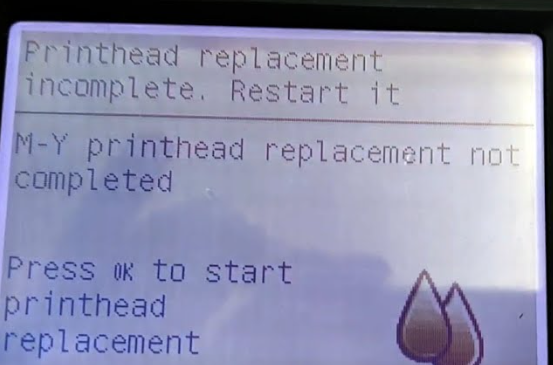
Question: "Hi, I recently did my second belt replacement on my T1100 (both belts from LPS as they appear to be the only ones with the guide ribs). The first time everything went well. This time, the machine keeps insisting on a printhead replacement. I've tried the printhead recovery kit (and changed printheads), and ink readily flows through the tubing into the printhead carousel. But the system keeps failing the first printhead, telling me to reseat/replace it. I do this, it moves to the service station, and fails again. Is there anything else I could have mis-reconnected? the cable and... Read more →
- 0 comment
- Tags: Designjet T1100, Designjet T1200, Designjet T1300, Designjet T1500, Designjet T1530, Designjet T1600, Designjet T1700, Designjet T1708, Designjet T2300, Designjet T2500, Designjet T2530, Designjet T2600, Designjet T3500, Designjet T610, Designjet T610 T1100, Designjet T770, Designjet T790, Designjet T920, Designjet T930, Designjet XL 3600, Designjet Z2100, Designjet Z2600, Designjet Z3100, Designjet Z3200, Designjet Z5200, Designjet Z5400, Designjet Z5600, Designjet Z6, Designjet Z9+
Service Station Replacement How-To Procedure for HP Designjet T610, T1100, T1120, Z2100, Z3200
Posted by Robert Wert on
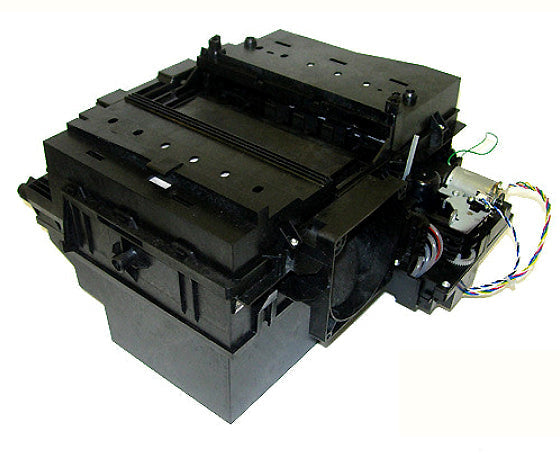
This is how you replace the service station on your HP Designjet T610, T1100, T1120, Z2100, Z3100 or Z3200 printer. Read more →
Error 58:10 on HP Designjet Z2100, Z5200, Z3100, Z3200
Posted by Tim Wert on

If your Designjet printer is showing error 58:10 "Color sensor ESP (spectrophotometer) if the printer is not working well," or a related 58:xx error, the problem may be mechanical. Historically, we've assumed the issue must be with the color sensor itself, or with the carriage PCA, but we've recently discovered a fairly common failure, and believe it or not --it's related to the service station. If the ESP lens shutter is unable to open, error 58:10 will appear. The mechanical actuator that slides the shutter open is located on the service station wiper tray. If this small actuator breaks, the... Read more →
How to Reset Life Counters on Designjet T610, T1100, Z2100, Z3100, Z3200, Z5200
Posted by Tim Wert on
Resetting life counters on a Designjet T610, T1100, Z2100, Z3100, Z3200 or Z5200 After replacing the service station or another maintenance part, reset its counter: from the Main Menu press Up and Cancel together to open the Service Menu, then go to Service Utilities and Reset Life Counters. Full steps below. Parts you may need: T610, T1100 service station Q6683-60187 | Z3100, Z3200 service station Q6718-67025 | Designjet T610, T620 repair parts | Designjet T1100, T1120 repair parts AFTER REPLACING THE SERVICE STATION, RESET LIFE COUNTERS. Entering the Service Utilities Menu Once inside the “Main Menu”, press the Up arrow... Read more →