
Tech Help — Designjet T610 T1100
HP Designjet T610, T620, T1100, T1120 Error Code List
Posted by Designjet Store on
Quick answer: Find your error code below to see what it means and the part that usually fixes it. Click the part to pick the right version for your printer, or click the code for its full troubleshooting steps. Power cycle the printer first, and replace one part at a time. Shop parts: Designjet T610 and T620 repair parts | Designjet T1100 and T1120 repair parts Error code quick reference Error codeWhat it meansPart that usually fixes it01.0:YZCommunication with Main PCA failedMain PCA Formatter01.1:YZError in the Print Mech PCAMain PCA Formatter01.2:YZFailure reading acumen chip of an Ink Supply StationMain PCA02.1:YZProblem... Read more →
Designjet T1120 Says "Paper Loaded Incorrectly, Remove Paper" With No Paper Loaded
Posted by Tim Wert on
Question: "The printer says paper loaded incorrectly, remove paper. But there is no paper loaded. And it goes through the procedure to load the paper, but it doesn't recognize that the paper is unloaded. Any ideas on how to get past this unload issue? E.R." Answer: This may be caused by a firmware bug, and may not be a permanent issue. As a workaround, take a look under the printer and locate the out-of-paper sensor extension cable connector on the right-rear section under the machine. When the printer is in the "remove paper" condition, unplug that extension connector, and continue... Read more →
Designjet T1120 Won't Boot: Blank White Screen, Beeping and Blinking Orange Light
Posted by Tim Wert on
Question: "I think an electrical surge has made my printer not able to boot. I hear a beeping noise and it is blinking orange on the first light. Do you think it's the hard drive or formatter board? There is nothing displayed on the control panel. Just a blank white screen. E.R." Answer: A T1120 that beeps, blinks orange on the first light, and shows nothing but a blank white screen on the control panel is very likely suffering from a dead hard disk drive. The replacement hard disk is available here: Designjet T1120 2.5" SATA Hard Disk Drive (CK837-67026)... Read more →
Printer Repeatedly Prompts "Replace Printhead"
Posted by Tim Wert on
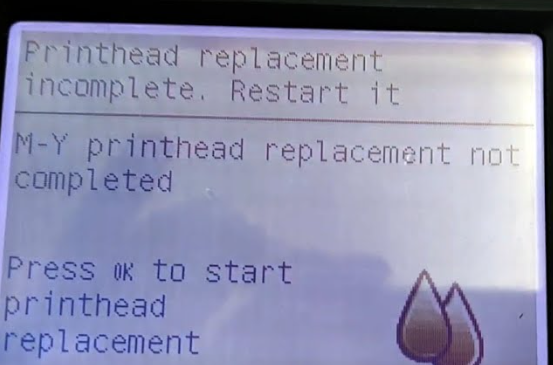
Question: "Hi, I recently did my second belt replacement on my T1100 (both belts from LPS as they appear to be the only ones with the guide ribs). The first time everything went well. This time, the machine keeps insisting on a printhead replacement. I've tried the printhead recovery kit (and changed printheads), and ink readily flows through the tubing into the printhead carousel. But the system keeps failing the first printhead, telling me to reseat/replace it. I do this, it moves to the service station, and fails again. Is there anything else I could have mis-reconnected? the cable and... Read more →
- 0 comment
- Tags: Designjet T1100, Designjet T1200, Designjet T1300, Designjet T1500, Designjet T1530, Designjet T1600, Designjet T1700, Designjet T1708, Designjet T2300, Designjet T2500, Designjet T2530, Designjet T2600, Designjet T3500, Designjet T610, Designjet T610 T1100, Designjet T770, Designjet T790, Designjet T920, Designjet T930, Designjet XL 3600, Designjet Z2100, Designjet Z2600, Designjet Z3100, Designjet Z3200, Designjet Z5200, Designjet Z5400, Designjet Z5600, Designjet Z6, Designjet Z9+
Service Station Replacement How-To Procedure for HP Designjet T610, T1100, T1120, Z2100, Z3200
Posted by Robert Wert on
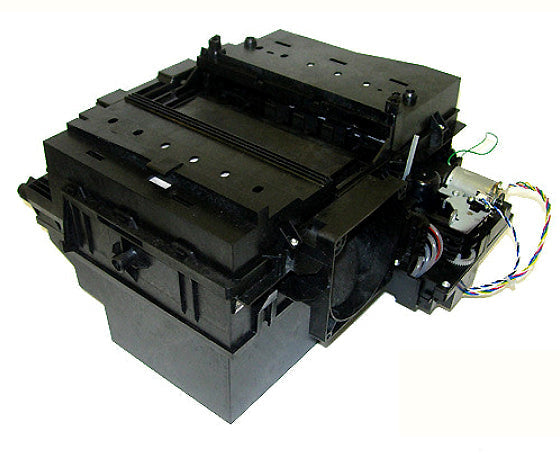
This is how you replace the service station on your HP Designjet T610, T1100, T1120, Z2100, Z3100 or Z3200 printer. Read more →