
Tech Help — Designjet Z2100
Printer Repeatedly Prompts "Replace Printhead"
Posted by Tim Wert on
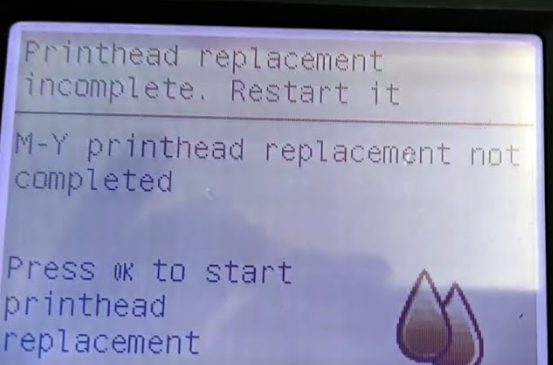
Question: "Hi,I recently did my second belt replacement on my T1100 (both belts from LPS as they appear to be the only ones with the guide ribs). The first time everything went well. This time, the machine keeps insisting on a printhead replacement.I've tried the printhead recovery kit (and changed printheads), and ink readily flows through the tubing into the printhead carousel. But the system keeps failing the first printhead, telling me to reseat/replace it. I do this, it moves to the service station, and fails again. Is there anything else I could have mis-reconnected? the cable and ink tubes...
- 0 comment
- Tags: Designjet T1100, Designjet T1200, Designjet T1300, Designjet T1500, Designjet T1530, Designjet T1600, Designjet T1700, Designjet T1708, Designjet T2300, Designjet T2500, Designjet T2530, Designjet T2600, Designjet T3500, Designjet T610, Designjet T610 T1100, Designjet T770, Designjet T790, Designjet T920, Designjet T930, Designjet XL 3600, Designjet Z2100, Designjet Z2600, Designjet Z3100, Designjet Z3200, Designjet Z5200, Designjet Z5400, Designjet Z5600, Designjet Z6, Designjet Z9+
Error 58:10 on HP Designjet Z2100, Z5200, Z3100, Z3200
Posted by Tim Wert on

If your Designjet printer is showing error 58:10 "Color sensor ESP (spectrophotometer) if the printer is not working well," or a related 58:xx error, the problem may be mechanical. Historically, we've assumed the issue must be with the color sensor itself, or with the carriage PCA, but we've recently discovered a fairly common failure, and believe it or not --it's related to the service station. If the ESP lens shutter is unable to open, error 58:10 will appear. The mechanical actuator that slides the shutter open is located on the service station wiper tray. If this small actuator breaks, the...
Printhead Replacement Incomplete on Designjet T and Z Printers
Posted by Tim Wert on
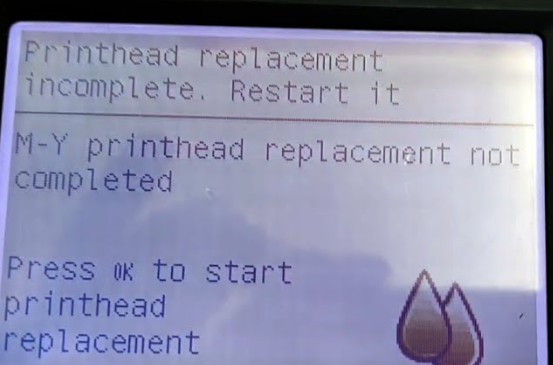
This problem occurs in the following Designjet models: T610, T620, T770, T790, T1100, T1120, T1200, T1300, T2300, Z2100, Z3100, Z3200, Z5200, Z5400. Your printer is in the middle of "preparing print system," and after 20 minutes of waiting, it displays the message "printhead replacement incomplete." You power the machine down, and back on, and it still tells you "printhead replacement incomplete." Very often, this is caused by insufficient ink supply. If you are using non-HP brand ink cartridges, install new HP cartridges. If any of the ink cartridges is below 40% full, replace that cartridge. If there are any pockets...
- 8 comments
- Tags: Designjet T1100, Designjet T1200, Designjet T1300, Designjet T2300, Designjet T610, Designjet T620, Designjet T770, Designjet T790, Designjet Z2100, Designjet Z3100, Designjet Z3200, Designjet Z5200, Designjet Z5400, HP Designjet, preparing print system, printhead replacement incomplete, replace ink cartridge
Designjet Rejecting Good Printheads, HP 70 | HP 72
Posted by Tim Wert on

This problem occurs in the following HP Designjet models: T610, T620, T770, T790, T1100, T1120, T1200, T1300, T2300, Z2100, Z3100, Z3200, Z5200, Z5400. If your printer is rejecting HP 70 printheads or HP 72 printheads, or if the printheads seem generally unreliable, there's a good chance there's nothing wrong with the printheads themselves. Often the contacts on the trailing cable corrode, and fail to send a consistent signal to and from the printheads. If you're on your second or third replacement printhead, and about ready to put some creatively-placed holes in the printer, power the machine off, and check the...
- 1 comment
- Tags: Bad Printhead, Designjet T1100, Designjet T1120, Designjet T1200, Designjet T1300, Designjet T2300, Designjet T610, Designjet T620, Designjet T770, Designjet Z2100, Designjet Z3100, Designjet Z3200, Designjet Z5200, Designjet Z5400, HP 70 Printhead, HP 72 Printhead, Reject, Replace Printhead, Trailing Cable, Unreliable
Designjet T1100 Error 02.1:10 (also applies to T610, Z5200, Z3200 and other models)
Posted by Bob Wert on

"I am asking for your valuable help. When I was testing carriage assbly on mode access to plotter HP T 1100 it did not pass. when testing pens voltage step plotter shows an error message 02.1:10. I check on system error codes and I see it is a carriage PCA failure, maybe is the reason because the printer does not accept black gray printhead. I am trying to replace carriage assembly and ask you if it would be a good idea?Thanks for your help" It sounds like you have diagnosed the problem correctly. The failing component is most likely the...