Menu
Cart 0
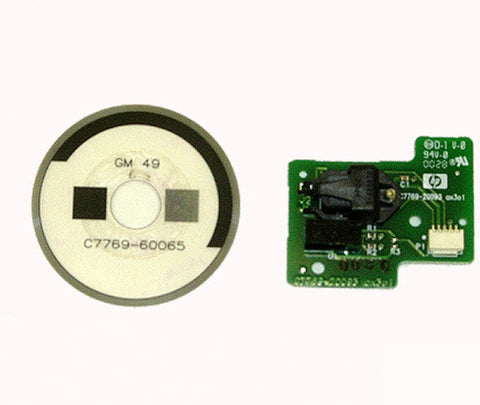
Designjet 500, 510, 800 Drive Roller Encoder Sensor with Disk C7769-60384, C7769-60254

Designjet 500, 510, 800 Drive Roller Encoder Sensor with Disk C7769-60384, C7769-60254

  • $ 4432
  • Save $ 14

  • ✓ Same-day shipping from the USA
  • ✓ Free technical support
  • ✓ Veteran-owned US company

Part number: C7769-60384 (also C7769-60172, C7769-60254)

Refurbished drive roller encoder sensor with disk for HP Designjet 500, 510 and 800 printers. It tracks paper position during printing and calibration.

At a glance

Fits

Symptoms this fixes

System errors related to the drive roller encoder sensor:

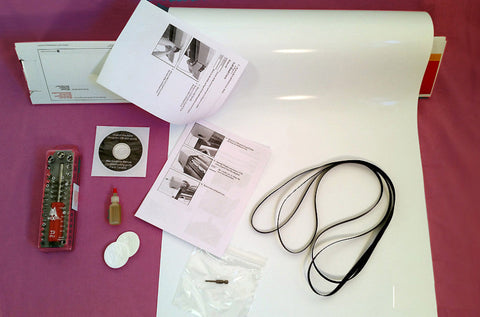
What's included

Installation

The replacement procedure is in section 8-38 of the HP Designjet 500 / 800 service manual.

Returns

30-day return window. See our returns policy for details.


We Also Recommend
Customer Reviews

Based on 23 reviews
91%
(21)
9%
(2)
0%
(0)
0%
(0)
0%
(0)
J
Jason Burghart
Worked as expected.

I consulted with LPS representatives about the error code and they recommended replacing the Encoder Sensor. I replaced the sensor but not the disk as that is more involved and the machine has worked ever since. Thanks LPS!

J
Jack Lacy
You are the best

Nice to see Maggie

M
Mark Robinson
Designjet 500, 510, 800 Drive Roller Encoder Sensor

It worked, came with all the necessary parts and fit perfect. I would recommend an would purchase again.

j
james griggers
Great support every time

Always answer the phone, very thorough, very helpful

E
Ezeev Dragon
Sensor 81:01

I have a photo electric engineer friend who told me that the sensor is the most likely at fault because the disk let’s light through or not. I cleaned the disk on each side with w tip with little alcohol. Bugs like that spot. Q tip had black marks after the clean that requires someone to manually rotate the roller from underneath the disk is hidden and very hard to see the use of a flashlight is needed. Uninstall the sensor by unscrew from case remove the spetoon 3 mm to the left an integer back to front then up and out. I didn’t change the cable for it didn’t look bad or had any damage.make sure that the disk slides through the sensor it has a gap as it rotates infra red can pass or be abstracted. Upon installation run the print head alignment. Enjoy for years to come. Get the disk even if you don’t install better to have it rather wait thanks your company gave the best support ever