Menu
Cart 0
UPDATED Printhead Recovery Kit for HP 70, 72, 73, Printheads

UPDATED Printhead Recovery Kit for HP 70, 72, 73, Printheads

  • $ 6389
  • Save $ 7.10


For HP Designjet Models:

T610, T620, T1100, T1120, T770, T1200, T790, T795, T1300, T2300,

Z2100, Z3100, Z3200, Z5200, Z5400, Z5600, Z2600


DEMONSTRATION VIDEO


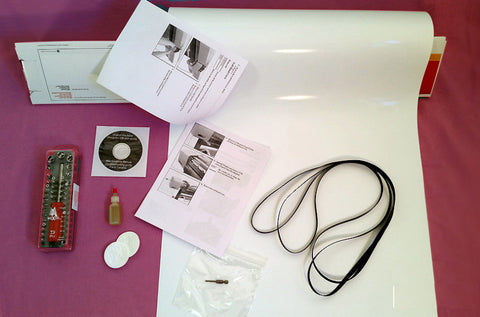
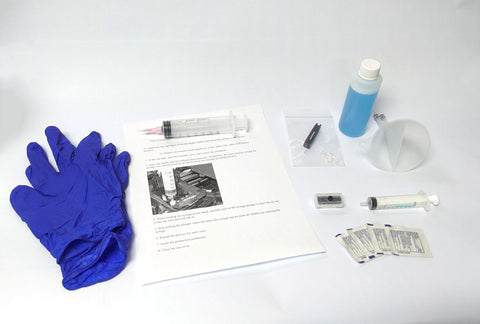
Includes:

-Alcohol wipes for cleaning the printhead electrical contacts

-Funnel, suction cap, dedicated syringe for refilling the printhead

-Nitrile gloves

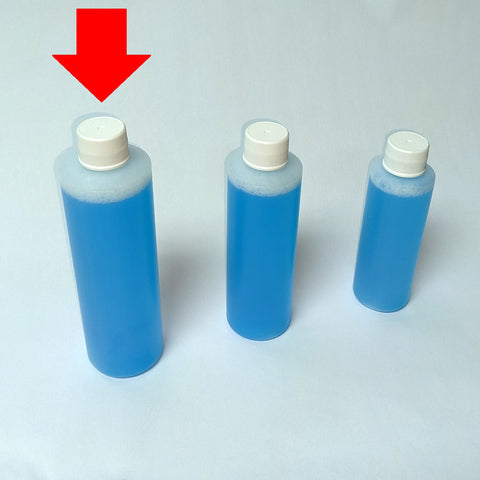
-Bottle of cleaning solution

-Upgraded purge tool with depth-limiter

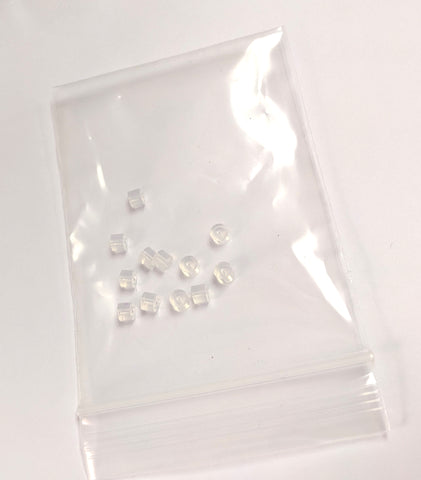
-12 custom printhead seals compatible with all HP 70, 72, and 73 printheads

-Seal installation tool

This kit is suitable for recovering 6 printheads. If you plan to do more than that, additional seals and cleaning solution are sold separately. 

A few considerations:

-If a printhead has been starved of ink for a long time, it may have burned itself out by printing with air instead of ink. If this is the case, that printhead will not recover with the installation of new seals.

-Even if a printhead has been starved for only a short period, if the internal ink diaphragm has deflated too much, it will sometimes not allow ink to re-inflate it, and the printhead will remain permanently starved.

-Sometimes the electrical connection between the printhead and the carriage is poor. Make sure to clean off the printhead contacts as well as the contacts on the carriage. If either of those surfaces feels tacky, you've still got cleaning to do.

-If the drop detector sensor is obscured by ink overspray, it will not properly detect the ink droplets, and the printer will not complete print system setup even if the printheads are working with perfect quality. The sensor may require cleaning.


Complete recovery kit for:


We Also Recommend

Clogged Printer Head? Recover It, Don't Replace It

If you're dealing with a clogged printer head, streaky output, or printhead errors on your HP Designjet, the fix may be simpler and far less expensive than you think. The LPS Printhead Recovery Kit for HP 70, 72, and 73 printheads is a complete, professional-grade solution for HP printhead recovery, giving you everything you need to clean print heads and restore full performance in one kit.

Used by professional repair technicians and self-repair users worldwide, this kit is backed by LPS Computer's 30+ years of HP Designjet expertise.

What's Included in the Kit

Everything you need for a thorough HP printhead recovery and seal replacement — up to 8 printheads per kit:

  • Alcohol wipes for cleaning printhead electrical contacts
  • Funnel, suction cap, and dedicated syringe for refilling
  • Nitrile gloves for safe handling
  • Bottle of professional cleaning solution
  • Upgraded purge tool with depth-limiter for precision cleaning
  • 8 custom printhead seals compatible with HP 70, 72, and 73 printheads
  • Seal installation tool

Need to recover more than 8 printheads? Additional seals and cleaning solution are sold separately.

Compatible HP Designjet Models

This kit is designed for the following HP Designjet printers:

  • HP Designjet T610, T620, T770, T790, T795
  • HP Designjet T1100, T1120, T1200, T1300, T2300
  • HP Designjet Z2100, Z2600, Z3100, Z3200
  • HP Designjet Z5200, Z5400, Z5600

If you're unsure whether this kit fits your printer, contact LPS Computer; our specialists will point you in the right direction.

What to Know Before Diagnosing

Before diving into your HP printhead recovery, there are a few important things to evaluate. Not every printhead can be saved, and knowing what to look for upfront will save you time:

  • Ink-starved printheads: A printhead that has run dry for an extended period may have burned out from printing with air. In this case, new seals won't restore function.
  • Collapsed ink diaphragm: If the internal diaphragm has deflated too far, ink may not re-inflate it, resulting in a permanently starved printhead.
  • Dirty electrical contacts: If contacts between the printhead and carriage feel tacky, the connection is compromised. Clean both surfaces thoroughly–this step is often overlooked when troubleshooting how to clean HP ink cartridges and printheads.
  • Drop detector sensor: Ink overspray on the drop detector can prevent the printer from completing print system setup, even with fully functioning printheads. Inspect and clean this sensor during your recovery process.

Resources & Technical Support

LPS Computer has supported thousands of HP Designjet repair professionals and end users worldwide since 1994. Take advantage of these resources to help troubleshoot your printer:

  • Email us for help identifying the right part for your printer
  • Call us to speak with a Designjet specialist

Order your Printhead Recovery Kit today and save hundreds over the cost of a replacement. Everything you need to clean print heads and get back to printing, in one kit!

Customer Reviews

Based on 7 reviews
71%
(5)
14%
(1)
14%
(1)
0%
(0)
0%
(0)
J
John Anderson
New Life for my aging printer

I was ready to give up on my printer after various problems and the fact that HP no longer supports it. But then I discovered this site I was able to fix everything that was wrong with it myself.

It's as good as new! And I think I can keep it going. Wow! These guys are amazing!

r
robert paine
First class support

I found this company online, the ampint of frustration that I have felt desling with an out of support HP printer melted away after speaking with company, knowing I can keep printer running for the foreseable future. Thank you

d
daniel winter
It is a good tool but the HP designjet printer did not like being fixed

Nothing wrong with the tools once you understand it. the special cap to draw ink through the printhead has sides, one works and one does not on the 2 color printhead. It is not clear in the instructions this is the case. My biggest reason for the 3 stars is that in the end, I had to get new print heads to fix the machine. It is a 50/50 proposition that the tool will work, at least for me. I am not sure why the printer faulted out under 90 day old 72 print heads. Wish there was a log file to review to see what fault caused a problem in a T2300ps printer. Most of the time, it is throw parts at the machine until is works. LPS is great with Tim willing to provide his expertise on older HP designjets. How to approach the problem, and suggest solutions. LPS is a great resource most importantly of knowledge.

L
Laurent
Resurrecting Printheads

Forget everything else you found on Internet on the subject. Here is THE place. Worked perfectly. Especially useful now the Matt Black / Red are getting rare for the Designjet Z 3100. Thanks.

P
Peter Gysling
Works great

Genius kit that works great for clearing up print heads!